Make a video
Render a camera path through a scene as one request and assemble the frames.
A video is a camera path rendered by atlasGenerate: one target camera per frame, all in one request. Start from a scene with views around it. Atlas follows a path well where it has views of the scene to work from.
For a short move that stays close to the original view, the posed image alone is enough context. Wider moves need the views.
1. Choose the path
- Start on a camera the viewer knows. To open on your photo, make the first camera its posed camera.
- Keep the path in open space and near where the views were generated. Check the stretch between the original camera and the first view as well: a straight line between two open positions can pass through a door frame.
- Use one camera per frame: seconds × frame rate. Space the cameras evenly and closely.
2. Generate the path in one request
Use the posed frames and the views you kept as contextFrames, the path as
targetCameras in order, and returnDepth set to false.
Send the whole path at once. Frames from separate requests do not match each
other, so do not split a path into batches. The number of target cameras a
request can hold depends on its context: with 8 context frames, about 1,500.
A larger request is rejected when you submit it. If waiting times out, resume
the same operation with worldlabs operations wait <operation-id>.
3. Assemble the frames
Frames are named in path order. Use the file extension the downloaded frames have. Watch the result, or look at a dozen frames spread through it, for objects that change shape and for frames that look into a surface.
Example
Continuing the potter's studio: 192 cameras for 8 seconds at 24 frames per second. The path opens on the photo, moves through the doorway to the circle the views were generated on, and goes once around the work table. The context is the posed image and all seven views. The request took 109 seconds.
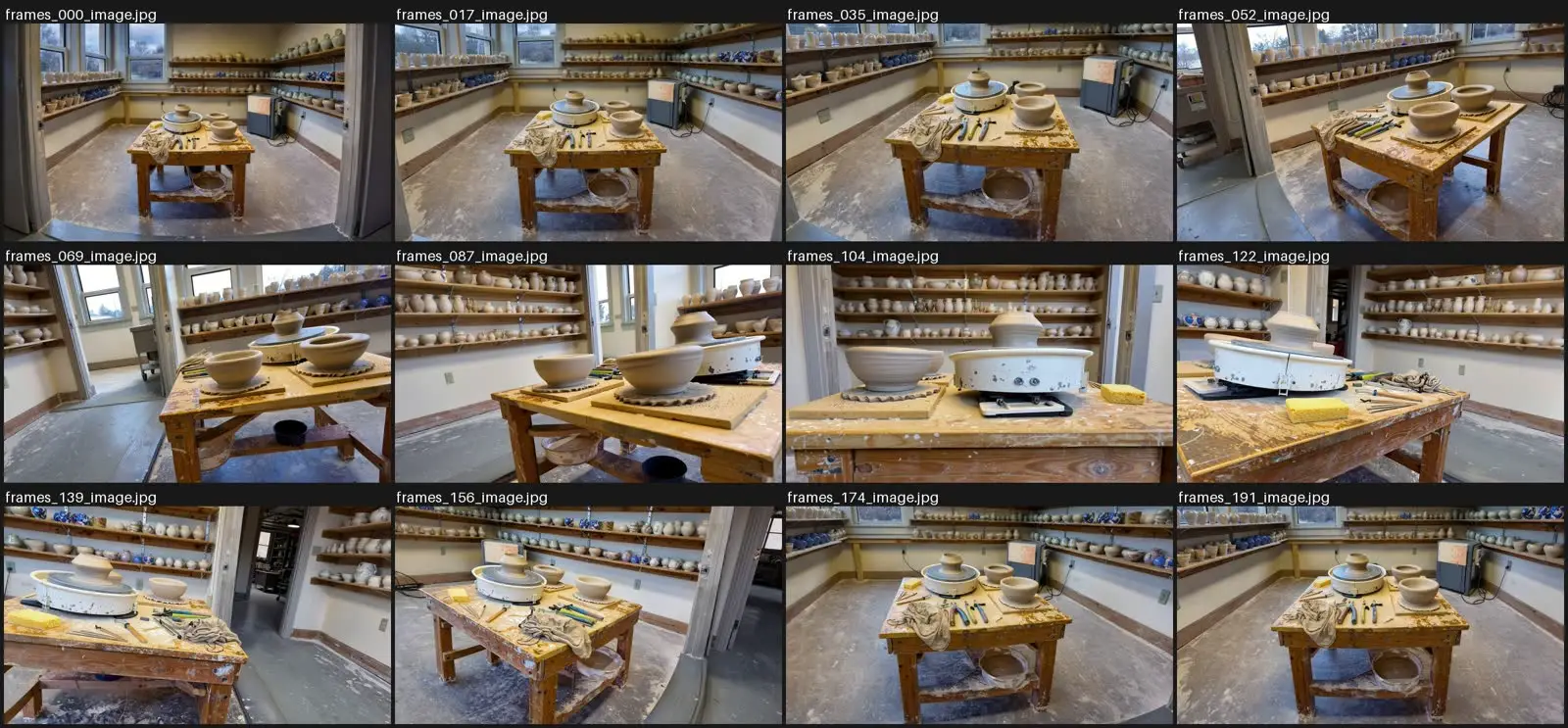 Twelve of the 192 frames, in order.
A first version of this path went from the original camera directly toward the nearest view. Both ends were in open space, but the frames between them looked into the door frame. Moving straight in first fixed it.